

Internal feature design - 2024
Health coach reassignments

My role
Lead product designer
UX Researcher
Team
Engineers, product managers, health coaches
Company
Pack Health, a Quest Diagnostics Company

Overview
I led the design of a health coach reassignment system, automating a previous manual process thus significantly improving operational efficiency.
Context
At Pack Health, members were reassigned a new health coach when their current coach left the company or changed roles. This was a manual process overseen by the health coaching leadership team that typically took several days to complete.
The manual process
Download report from Salesforce
Download list of members assigned to the departing health coach
Clean data
Remove members who don’t require reassignment
Review available coaches
Compare qualifications to find suitable matches
Update records in Salesforce
Change each member’s coach individually
Send notifications
Notify both the new health coach and the member of the change
The problem space
The health coaching leadership team expressed how tedious the current process was. It often involved cross-referencing several reports and simply took too long to complete. This can also hinder our member’s experience if the reassignment is not properly handled in a timely manner.
Considerations
While working closely with the health coaching leadership team, we identified several key considerations when designing the solution.
1
The feature must be robust and scalable, being able to handle one or hundreds of reassignments.
2
Our matching system must mirror how the leadership team reassign health coaches.
3
We also had to account for edge cases such as member requests for a different health coach or the leadership team wanting to override suggested matches.
Final redesign
Entry points
To support anywhere from a single reassignment to hundreds, we built two workflow entry points: single reassignment from an individual member record and bulk reassignment from the health coach's profile.

Single reassignment from an individual record

Bulk reassignment from the health coach's profile
Automated or manual reassignment
The leadership team can choose between two reassignment processes: automated reassignment that finds suitable matches based on health coach qualifications or manual reassignment where the leadership team searches for matches directly.

Review reassignment
Before our system completes the reassignment, we inform the user about what will happen. This allows the user to review the matches.

Transfer complete
Once the transfer is complete, we provide feedback on all the reassignments.

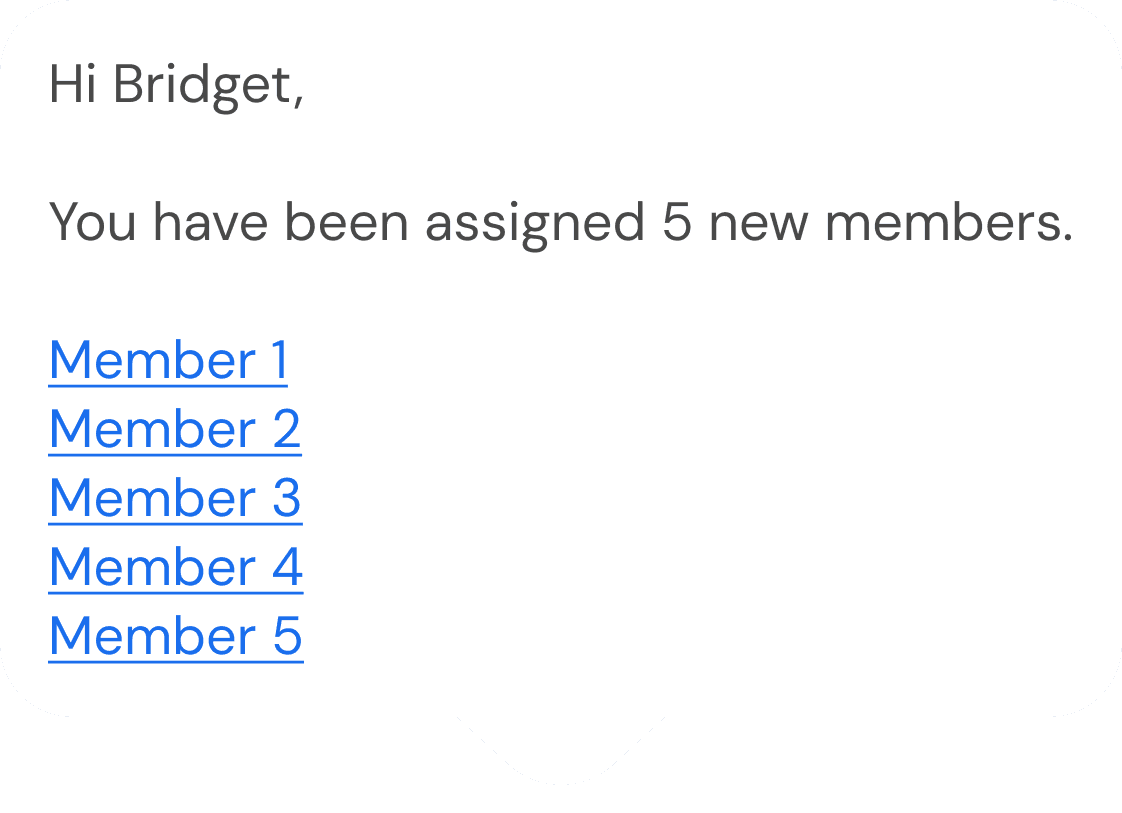
Notifying health coach
The system sends an email to the health coach containing:
the amount of new members that have been reassigned to them
a link to the member's profile in Salesforce
Notifying member
24 hours after the reassignment, a message is sent out to members introducing their new Health Coach

Outcome
This feature reduced a process that typically lasted several days to minutes, significantly streamlining the reassignment workflow.
Reflection
A great reminder to design for what users need, not what they want. When working closely with the health coach leadership team to design this solution, they were not shy about the features they wanted. If we granted every wish, the tool would’ve simply gone out of scope. As the product designer, I listened but also looked beyond the requests. I dug into the why. By uncovering the reasons behind those requests, I was able to understand the underlying needs that needed to be addressed. Ultimately, this helped me design a more focused and effective solution.